

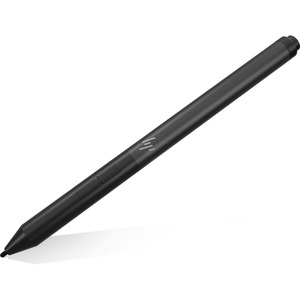
HP Zbook X360 Pen 4Ww09Aa
| SKU: | 291698 |
|---|---|
| MPN: | 4WW09AA Link |
| Manufacturer: | https://store.hp.com/ |
| Brand: | Hp |
| Warranty: | 1 Year Manufacturer's return to base |
| Availability: |
In stock |
| Fright Estimate |

Description
Simple, personalized navigation.
Use the pen to write or draw onscreen or work with your touch applications. Customize button functions and shortcuts from your PC[1] with the handy included software control panel[2] for an interactive experience that’s uniquely yours.
Never miss a note
Keep working and creating with a pen that’s rechargeable through your device’s[1] USB-C™ cable. LEDs cue you on charging status.
Open sesame
Launch an app on your device from your pen with a programmable Bluetooth® feature[3] that pairs with frequently-used productivity software tools.
Easy to use
Once your device[1] is paired and in range, it detects the pen and cues you where to place it onscreen. Erase, highlight, and click on your content with the two convenient side buttons.
World-class support
Rest easy with a one-year limited warranty.
- [1] The HP Rechargeable Active Pen is designed for magnetic attach to the HP EliteBook x360 1030 G3 and loop attach to the Elite x2 1013 G3 keyboard. On those two models, it has enhanced capabilities that include 20-30 milliseconds latency, tilt detection and tilt sensitivity adjustments, 4096 pressure level, 240 Hz report rate. The pen is also compatible with the HP Pro x2 612 G2, HP EliteBook x360 1020 G2, HP EliteBook x360 1030 G2, HP Elite x2 1012 G2, HP ProBook 11 360 G1 Education Edition, and HP ProBook 11 360 G2 Education Edition with support for basic capabilities: 30-35 milliseconds latency, no tilt detection or tilt sensitivity adjustments, 2048 pressure level, and a report rate of 133-200 Hz (varies depending on whether simultaneous pen and touch mode is enabled).
- [2] Windows 10 required. Control panel software is preinstalled or available as a download and only works when the pen is used with the HP EliteBook x360 1030 G3 and HP Elite x2 1013 G3. Control panel can be installed on, but does not control pen functions when used with the HP Pro x2 612 G2, HP EliteBook x360 1020 G2, HP EliteBook x360 1030 G2, HP Elite x2 1012 G2, HP ProBook 11 360 G1 Education Edition and HP ProBook 11 360 G2 Education Edition.
- [3] Bluetooth® pairing and software programming is only supported on the HP EliteBook x360 1030 G3 and HP Elite x2 1013 G3. Basic Bluetooth® pairing to the device is supported on the HP Pro x2 612 G2, HP EliteBook x360 1020 G2, HP EliteBook x360 1030 G2, HP Elite x2 1012 G2, HP ProBook 11 360 G1 Education Edition and HP ProBook 11 360 G2 Education Edition.
Specifications
| Basic | |
|---|---|
| Brand Name: | HP |
| Colour: | Silver |
| Device Supported: | Notebook |
| Product Type: | Stylus |
| Stylus Type: | Active |
| General Information | |
|---|---|
| Brand Name: | HP |
| Manufacturer Website Address: | http://www.hp.com/au/ |
| Manufacturer: | HP Inc. |
| Product Name: | Stylus |
| Product Type: | Stylus |
| Miscellaneous | |
|---|---|
| Compatibility: | HP ZBook x360 Notebook |
| Physical Characteristics | |
|---|---|
| Colour: | Silver |
| Technical Information | |
|---|---|
| Device Supported: | Notebook |
| Stylus Type: | Active |
