

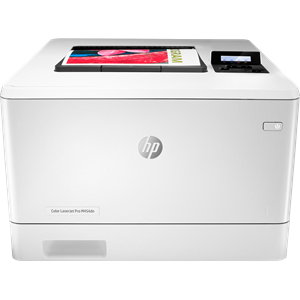
Hp Color Laserjet Pro M454Dn W1Y44A
| SKU: | 283982 |
|---|---|
| MPN: | W1Y44A Link |
| Manufacturer: | https://h20386.www2.hp.com |
| Brand: | Hp |
| Warranty: | 1 Year Manufacturer's return to base |
| Availability: |
In stock |
| Fright Estimate |

Description
Today’s businesses are always on, and always connected. Choose a printer that can keep up with how you actually work, collaborate, and get things done.
Help decrease the amount of paper used in the office by printing on both sides of the page.
Grab pages and go—without waiting. This device wakes up and prints first page out fast.[1]
ROAM compatible for easy printing from virtually anywhere[5]
HP Print Security isn’t just about securing printers. It’s about helping to secure your network with real-time threat detection, automated monitoring, and software validation—designed to detect and stop an attack as it happens.[6]
A suite of embedded security features help protect your printer from being an entry point for attacks.[6]
Help secure confidential information with optional PIN/Pull printing to retrieve print jobs.[7]
Optional HP JetAdvantage Security Manager lets you set configuration policies and validate settings.[8]
Thwart potential attacks and take immediate action with instant notification of security issues.[11]
You have enough to worry about each day. It’s easy to accomplish what you need—and exceed your own expectations—with a streamlined printer that’s simple to use.
Set up this printer fast and easily manage device settings to help increase overall printing efficiency.
Make the most of your office space with a printer that conveniently fits into your work style.
Work without delays or messes, with cartridges featuring auto seal removal.
Business is all about resource management, and finding efficiencies is everyone’s responsibility. HP LaserJet printers are designed with the environment in mind, so you can handle what you need while conserving energy wherever possible.
Avoid frustrating reprints, wasted supplies, and service calls using Original HP toner cartridges.
Help save paper right out of the box. The duplex print setting is set at default paper savings mode.[9]
Saves up to 11% energy over prior products.[10]
Help save energy with HP Auto-on/Auto-off technology. [12]
- [1] Measured using ISO/IEC 24734 and excludes first set of test documents. For more information, see http://www.hp.com/go/printerclaims. Exact speed varies depending on the system configuration, software application, driver, and document complexity. Letter: Black/Color-9.8/12.1, A4: Black/Color 9.9/12.4 sec.
- [2] Wireless operations are compatible with 2.4 GHz and 5 GHz operations. App or software and HP ePrint account registration may also be required. Some features require purchase of an optional accessory. Learn more at http://www.hp.com/go/mobileprinting
- [6] Based on HP review of 2019 published security features of competitive in-class printers. Only HP offers a combination of security features that can monitor to detect and automatically stop an attack then self-validate software integrity in a reboot. For a list of printers, visit hp.com/go/PrintersThatProtect. For more information: http://www.hp.com/go/printersecurityclaims
- [7] Pin printing enabled via USB installed in rear of device.
- [8] HP JetAdvantage Security Manager must be purchased separately. To learn more, please visit http://www.hp.com/go/securitymanager
- [9] All new product introductions beginning in Fall 2019 will include consistent worldwide default duplex settings (across bundles/drivers); Spring 2019 will include consistent worldwide default duplex settings for most products across the most common drivers.
- [10] Based on HP Internal testing using normalized TEC Value, 2019.
- [11] Instant threat notifications can appear on the device control panel when a potential threat occurs from malicious intent or there is a bug or vulnerability in the firmware code of the device. If this error raises concern, please contact your company IT representative or, if unavailable, HP Support, who can investigate the cause through analysis of device syslog data using a standard SIEM tool from McAfee, Splunk, Arcsight or SIEMonster. The control panel error message may show an error code on a blue screen during code signature checks or memory write intrusions.
- [12] HP Auto-On/Auto-Off Technology capabilities subject to printer and settings; may require a firmware upgrade.
