

Motorola Mc2100 1 Slot Charger With Usb Connectivity Crd2100-1000ur
| SKU: | 162326 |
|---|---|
| MPN: | CRD2100-1000UR |
| Manufacturer: | http://www.motorola.com.au/ |
| Brand: | Motorola |
| Availability: |
Preorder 2-3 weeks |
| Fright Estimate |

Description
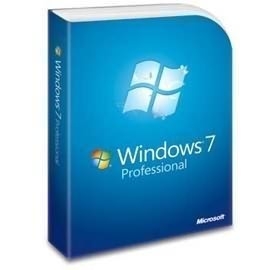
Microsoft Windows 7 Professional SP1 64 Bit FQC-04649 - OEM
We spend a lot of time staring at our PCs. Aesthetics shouldn't just be an
afterthought. That's why Windows 7 includes a slew of new desktop
backgrounds?wallpapers?that range from sublime to silly. Or try the new desktop
slide show, which displays a rotating series of pictures (ours or yours). Your
desktop will never be dull again.
Since Windows 95, the taskbar has served as the go-to spot for launching
programs and switching windows. Times and PC habits have changed. So in Windows
7, the taskbar has been completely redesigned to help you work smarter, cut
clutter, and get more done.
Gadgets, the popular mini-programs introduced in Windows Vista, are now more
flexible and fun. Based on your feedback, we've done away with the Sidebar, so
you can stick your gadgets anywhere on the desktop.
HomeGroup takes the headache out of sharing files and printers on a home
network. Connect two or more PCs running Windows 7, and HomeGroup makes it easy
to automatically start sharing your music, pictures, video, and document
libraries with others in your home. The new ?Share with? menu, meanwhile,
provides a speedy way to share individual files.
Jump Lists?new in Windows 7?take you right to the documents, pictures, songs, or
websites you turn to each day. To open a Jump List, just right-click a program
icon on the Windows 7 taskbar. (You'll also find them on the Start menu.)
Snap is a quick (and fun) new way to resize open windows, simply by dragging
them to the edges of your screen.
Depending on where you drag a window, you can make it expand vertically, take up
the entire screen, or appear side-by-side with another window. Snap makes
reading, organizing, and comparing windows a...well, you get the picture.
In Windows 7, you can find more things in more places?and do it faster.
Start typing into the Start menu search box?and you'll instantly see a list of
relevant documents, pictures, music, and e-mail on your PC. Results are now
grouped by category and contain highlighted keywords and text snippets to make
them easier to scan.
