

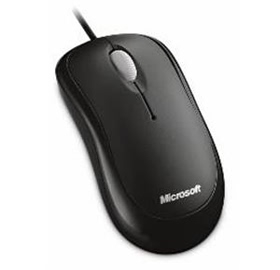
Microsoft L2 Basic Opt Mse Mac/ Win Usb Port En/ Xt/ Zh/ Hi/ Ko/ Th Hdwr Black P58-00065
| SKU: | 140928 |
|---|---|
| MPN: | P58-00065 |
| Manufacturer: | http://www.microsoft.com/en-au/default.aspx |
| Brand: | Microsoft |
| Availability: |
Preorder 2-3 weeks |
| Fright Estimate |

Description
Basic Optical Mouse
Product Dimensions
Comfort and Precise Control
Benefit from great features such as ambidextrous design and stay at your peak
creativity without emptying your wallet. With this mouse, you can rely on
optical technology for smooth, precise control. Use the scroll wheel for quick,
confident navigation and customizable buttons for one-click access to your
favorite documents, music files, or functions.
1
Optical Technology
Navigate with better speed, accuracy, and reliability. The optical sensor tracks
movement on nearly any surface.
2
Scroll Even Faster
Move through your documents quickly without having to use the on-screen scroll
bar.
3
Comfortable in Either Hand
Use your mouse with your left or right hand. Ambidextrous design makes it
comfortable either way.
4
Customizable Buttons
Get quick access to the media, programs, and files you use most often.
Device Stage
Quickly and easily access common tasks, including product information,
registration, settings, and more for popular devices such as cell phones,
cameras, printers, and mouse, keyboard, and webcam products.
Ergonomic Design
Point and click in comfort. Ergonomic design helps you work longer without
discomfort.
Vendor Info
| Marketing Text | Optical Mouse is ambidextrous design, you can rely on optical technology for smooth, precise control. |
| PI date | Jan 2014 |
| Brand | Microsoft |
| Manufacturer Web Site | http://www.microsoft.com |
| Product Type | Optical Mouse |
| Color | Black |
| Connector | USB |
| Cord | Corded |
| Design | Ambidextrous |
| Platform Support | Windows and Mac |
| Scrolling | Yes |
| Technology | Optical |
| Height (mm) | 113.4 |
| Width (mm) | 57.9 |
| System Requirements | Windows 7, Windows Vista, Windows 98/2000/XP/Pro/Home/Media Center Edition/Tablet PC Edition; Mac OS X v.10.1–10.4.X (excluding Mac OS X v. 10.0) |
| Other Features | * Navigate with better speed, accuracy and reliability. * Move through your documents quickly without having to use the on-screen scroll bar. * Get quick access to the media, programs and files you use most often. * Point and click in comfort. Ergonomic design helps you work longer without discomfort. |
