

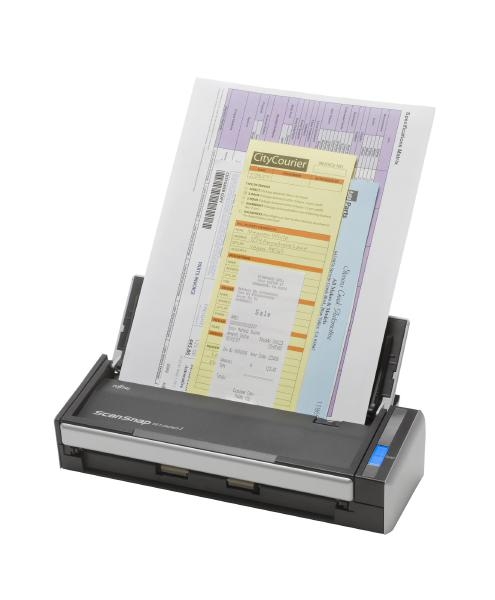
Fujitsu Scanner S1300i 12ppm Duplex S1300i
| SKU: | 241263 |
|---|---|
| MPN: | PA03643-B001 Link |
| Manufacturer: | http://www.fujitsu.com/global/ |
| Brand: | Fujitsu |
| Warranty: | 1 Year Manufacturer's return to base |
| Availability: |
In stock |
| Fright Estimate |

Description
Overview
The ScanSnap S1300i Scanner – Makes Document Management a Snap!
Take document scanning to a whole new level with the ScanSnap S1300i. Whether you're at home digitizing receipts, bank statements or term papers, or at the office capturing mission critical documents for a business trip, ScanSnap takes scanning beyond the desktop and into your world.
- Scan up to 12 double-sided pages per minute
- Holds up to 10 pages in the automatic document feeder
- Cross-platform compatibility for PC and Mac
- One button Searchable PDF creation, PDF, and JPEG
- Scan to editable Word and Excel files
- Create searchable keywords from highlighter text
- Business card scanning software
- USB or AC powered
Fast Scanning with Portability
The ScanSnap S1300i is the smallest multi-page, duplex capable ScanSnap for scanning on the road or at the desk.
 | Scan to:
|
Intelligent Scan Correction
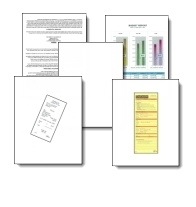
ScanSnap converts disorganization into order with intelligent features that work behind the scenes to correct images so you don't have to.
 |
|  |
Fast Double-Sided Scanning
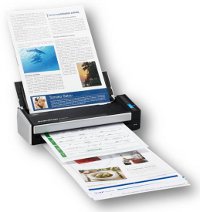 | Just press the "SCAN" button and the 10 page automatic document feeder scans both sides of each page at up to 12 pages per minute. |
Compatible with PC or Mac
| The ScanSnap S1300i works on both Mac and PC operating systems, making flexibility and portability a breeze. | 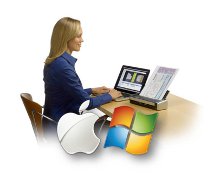 |
USB Bus Power for Ultimate Portability
 | The ScanSnap S1300i can be powered by the PC or Mac’s USB ports* when an AC power source is not available. *When using the USB bus power cable, the PC or Mac must have two USB ports; one for power feeding and the other for USB cable connection. AC adapter also provided |
Productivity Software for Mac and PC
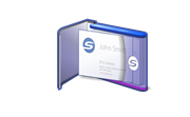 | CardMinder Business Card Software ScanSnap S1100i can quickly scan business cards, extract the content information and place it into editable fields that can be exported to Address Book, Excel, Salesforce, and other contact managers. |
 | ScanSnap Organizer View, Manage and edit PDF and JPEG files scanned with ScanSnap on a Windows or Mac platform. Organizer allows users to convert scanned PDF files into searchable content, embed custom keywords, attach to email or SharePoint and remain productive with paperwork long after it is scanned. |
 | ScanSnap Receipt |
ScanSnap Sync
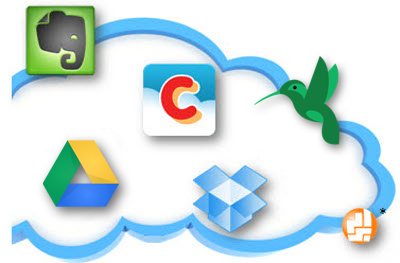
Quickly and easily synchronize your scanned documents between ScanSnap Organizer on your computer and the ScanSnap Connect App on your mobile device using Dropbox, Google Drive or OneDrive. ScanSnap Sync automatically synchronizes scanned documents between your computer and mobile device, giving you more flexibility to manage your scanned data.

Scan to Mobile
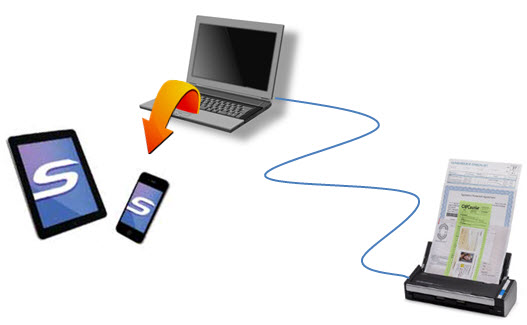 |
| With the free ScanSnap Connect app operators can link* their ScanSnap to their iPad, iPhone. Android and now Kindle device for viewing on the go. *Requires compatible PC or Mac computer and a Wi-Fi connection to mobile device **IOS Download **Android Download |
More Ways to Scan to the Cloud
 | Scan to:
|
ScanSnap Folder*
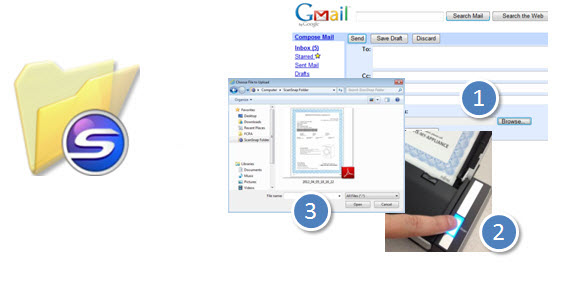 |
| Scan ‘outside-the-box’ into virtually any application or cloud service from PC. *ScanSnap Folder is only available on PC |
Specifications
| Product Name | ScanSnap S1300i | |
|---|---|---|
| General Technical Specifications | ||
| Scanner Type | ADF (Automatic Document Feeder). Duplex color scanning | |
| Scanning Modes | Color / Grayscale / Monochrome / Automatic Detection | |
| Image Sensor | CIS (Color Image Sensor) X 2 | |
| Light Source | 3 color LED (Red / Green / Blue) | |
| Optical Resolution | 600 dpi x 600 dpi | |
| Scanning Speed(1) (A4 portrait / AC adapter) | Auto Mode(5) | Simplex or Duplex: 6 pages per minute / 12 images per minute |
| Normal Mode | Color 150 dpi, Grayscale 300 dpi: 12 pages per minute / 24 images per minute | |
| Better Mode | Color 200 dpi, Grayscale 400 dpi: 9 pages per minute / 18 images per minute | |
| Best Mode | Color 300 dpi, Grayscale 600 dpi: 6 pages per minute / 12 images per minute | |
| Excellent Mode | Color 600 dpi, Grayscale 1,200 dpi: 1 page per minute / 2 images per minute | |
| Scanning Speed(1) (A4 portrait / USB bus power)(2) | Auto Mode | Simplex of Duplex: 2 pages per minute / 4 pages per minute |
| Normal Mode | Color 150 dpi, Grayscale 300 dpi: 4 pages per minute / 8 images per minute | |
| Better Mode | Color 200 dpi, Grayscale 400 dpi: 3 pages per minute / 6 images per minute | |
| Best Mode | Color 300 dpi, Grayscale 600 dpi: 2 pages per minute / 4 images per minute | |
| Excellent Mode | Color 600 dpi, Grayscale 1,200 dpi: 1 page per minute / 2 images per minute | |
| Document Size | Normal Mode | A4, A5, A6, B5, B6, Business card, Post card, Letter, Legal and Custom sizes (Max: 216 mm x 360 mm (8.5 in. x 14.17 in.), Min : 50.8 mm x 50.8 mm (2 in. x 2 in.)) / Automatically recognizes document size |
| Long Paper(6) | 863 mm (34 in.) | |
| Paper Weight (Thickness) | 64 g/m2 to 104.7 g/m2 (17 lb. to 28 lb.) | |
| Paper Chute Capacity | Maximum 10 sheets (A4 size at 20 lb. or 80 g/m2) | |
| Interface | USB 2.0 (USB 1.1 Compatible) | |
| Driver(3) | ScanSnap specific driver (TWAIN/ISIS® not supported) (3) | |
| Power Requirement | AC Adapter | AC 100 V to 240 V, 50 / 60 Hz |
| USB Bus Power | 5 V / 1 A (0.5 A X 2 Port) | |
| Power Consumption | Power Cable Connection | Operating: 9 W or less Standby: Less than 2.6 W |
| USB Bus Power Connection | Operating: 5 W or less Standby: Less than 2 W | |
| Operation Environment | Temperature | 5 °C to 35 °C (41 °F to 95 °F) |
| Relative humidity | 20 % to 80 % (non-condensing) | |
| Dimensions (W x D x H)(4) | 284 mm x 99 mm x 77 mm (11.18 in. x 3.90 in. x 3.03 in.) | |
| Device Weight | 1.4 kg (3.08 lb.) without power adapter | |
| Environmental Compliance | ENERGY STAR® Compliant / RoHS | |
| Inbox Contents | AC cable, AC adapter, USB bus power cable, USB cable (2.0m), Getting started, Safety Precautions, Set-up DVD-ROM | |
